The top bar has two shortcuts you will use all day: Search to find a record, and + to create one.
Search and quick create
Find a record from the top bar, or create an account, contact, note, task, or meeting.
Overview
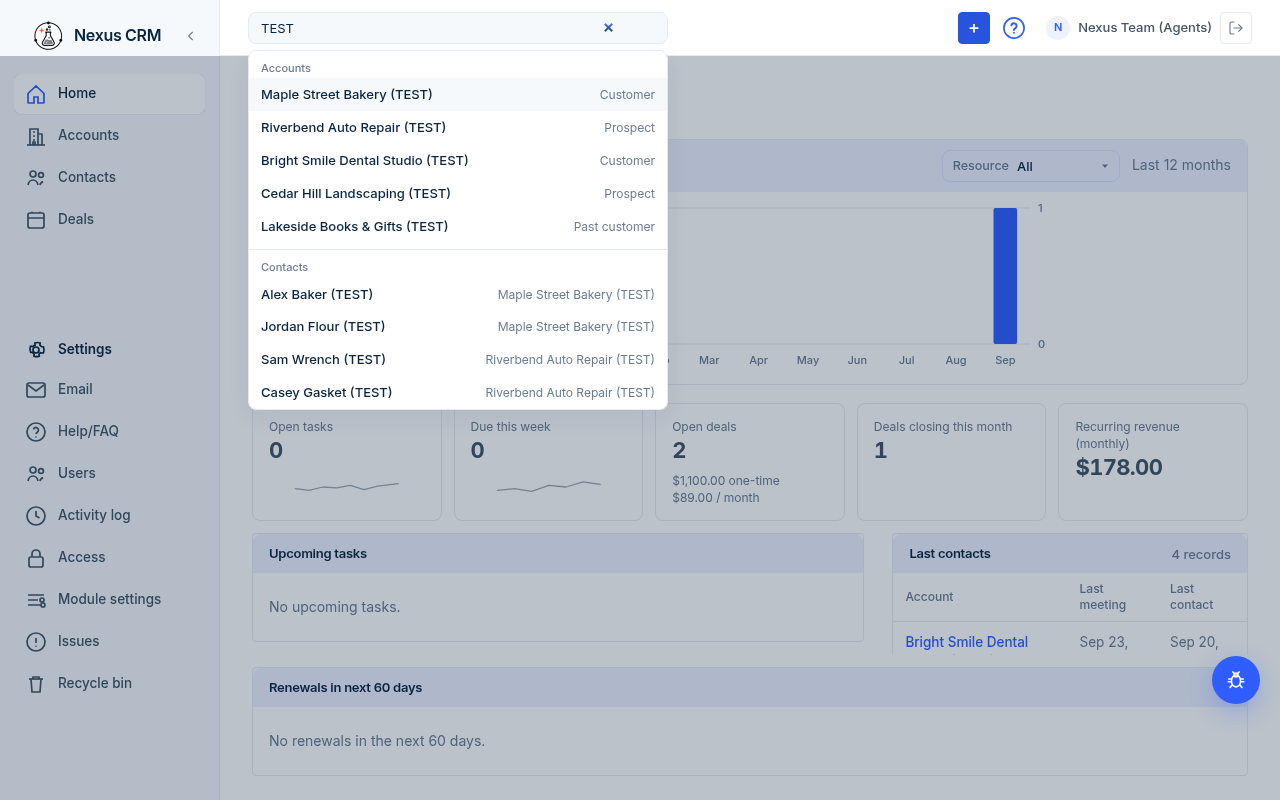
Search
- Click the Search box at the top of the screen, or press ⌘K (Mac) or Ctrl+K (Windows).
- Type part of a name. Results appear right away under the box.
- Click a result to open it.
Results are grouped:
| Group | What you see next to each name |
|---|---|
| Accounts | The account type, for example Customer. |
| Contacts | The contact's account. |
| Deals | To follow: see Deals. |
Keyboard tips:
- Up and down arrows move through the results.
- Enter opens the highlighted result.
- Escape closes the results.
- The X at the right of the box clears what you typed.
If nothing matches you see No matches. There is no separate results page; the drop-down is the whole search.
Search looks at names (and, for accounts, the account type; for contacts, the account name). It does not search notes, tasks, or meetings. Open a record to see those on its Activity card.
You only see records you are allowed to view.
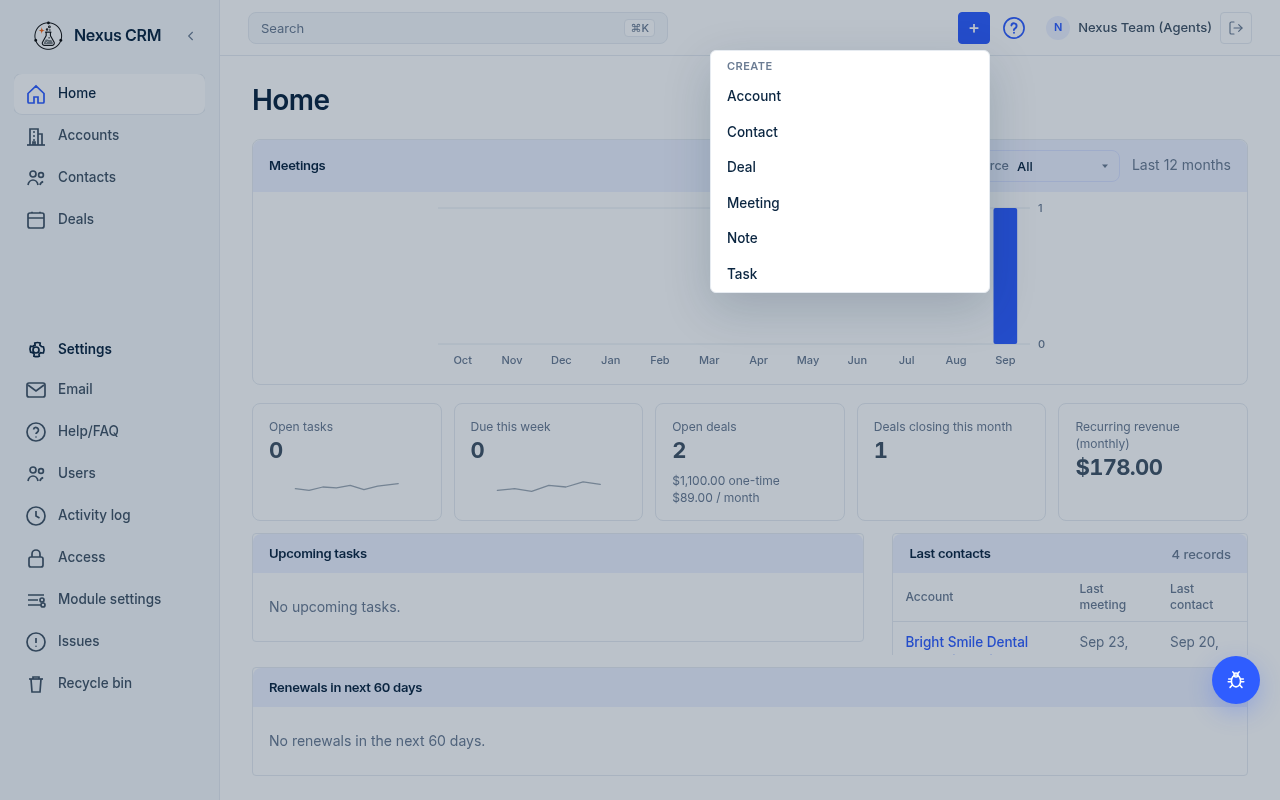
Quick create
- Click the blue + in the top bar.
- Under Create, pick what you want to add:
| Menu item | Opens | Learn more |
|---|---|---|
| Account | Add account | Accounts |
| Contact | Add contact | Contacts |
| Deal | Add deal | To follow: Deals |
| Meeting | Add meeting | Notes, tasks, meetings, and files |
| Note | Add note | Notes, tasks, meetings, and files |
| Task | Add task | Notes, tasks, meetings, and files |
- A panel slides in from the right. Fill in the fields. Fields with a red star (*) are required.
- Click the blue button at the bottom (for example Add account, or Save for a note). Click Cancel to close without saving.
If you open Note, Task, or Meeting while an account, contact, or deal is open, Nexus fills in that record for you. You can still change it.
The panel blocks the rest of the screen until you save or cancel. Press Escape to close it.