Your profile holds your name, contact details, and photo. Click your name in the top bar to open it.
Your profile and passwords
Edit your details and photo, sign out, and reset passwords.
Overview
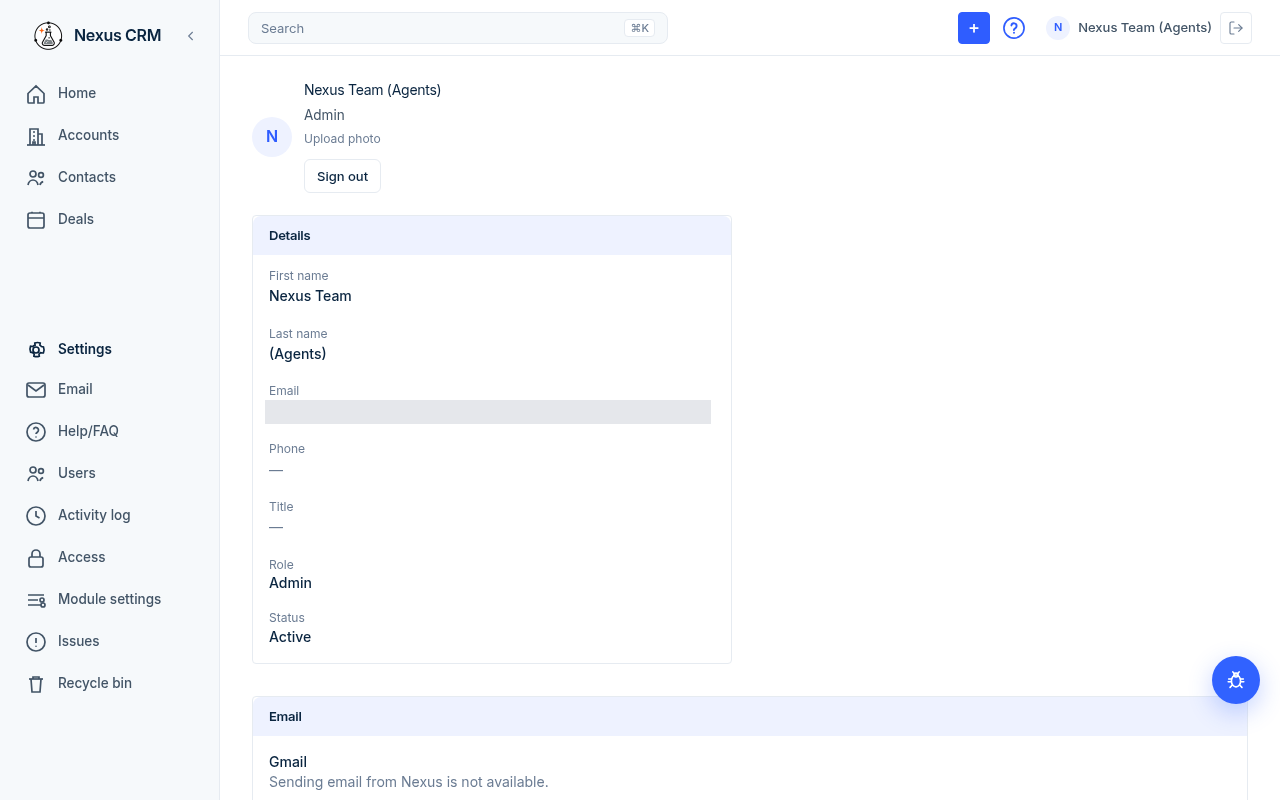
Edit your profile
- Click your name in the top bar.
- Click a value under Details, change it, then click the check mark to save.
| Field | What to enter | Example | Can you change it? |
|---|---|---|---|
| First name | Your first name. | Jane | Yes |
| Last name | Your last name. | Sample (TEST) | Yes |
| Your work email. | test@example.com | Yes | |
| Phone | Your phone number. | (555) 010-0102 | Yes |
| Title | Your job title. | Account Manager | Yes |
| Role | Admin or Member. | Member | Only another admin |
| Status | Active, Inactive, or Archived. | Active | Only another admin |
When you change your name, records you own keep showing you as owner.
Gmail
Gmail on your profile is the same connection as Settings → Email. Connect your own Gmail account there to send from Nexus and to show replies on timelines. Sync now checks for replies. A connection from before replies were added shows Reconnect to enable replies. See Email.
Add a photo
- Click the round picture (or Upload photo) at the top of your profile.
- Pick an image.
Sign out
Click Sign out under your name on your profile, or use the sign-out icon at the far right of the top bar.
Change your own password
Sign out, then use Forgot Password on the sign-in page. See [Getting started](getting-started.md#forgot-your-password).
Admins: help a teammate with their password
Open the teammate's profile (click their name on Settings → Users). The Password card has two options.

### Set a specific password
- Fill in New password and Confirm password (at least 8 characters).
- Click Set password.
- Nexus shows "Password updated. They can sign in with it now."
### Send a reset link
- Click Send reset link.
- Nexus emails the teammate the same link as Forgot Password.
Addresses on example.com can't receive mail. Use Set password for demo users.
You can't use these options on your own profile.